
In this tutorial, you will learn how to upload any file you have saved on your computer to your Google Drive. Two advantages of uploading files to Google Drive is that you can access your files from any device at anytime, and you can easily share your files with others.
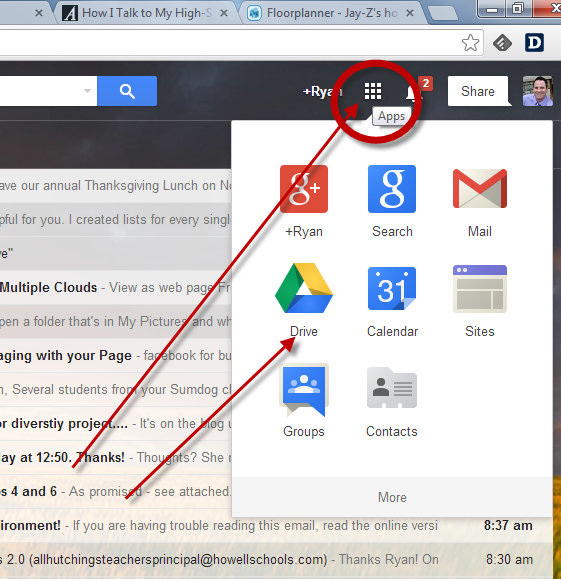
Step 1: Login into your howellschools.com email account and then click the “Apps” button. Next, click “Drive” on the top of your screen to open up a new tab that shows the contents of your Google Drive.
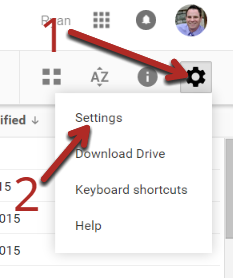
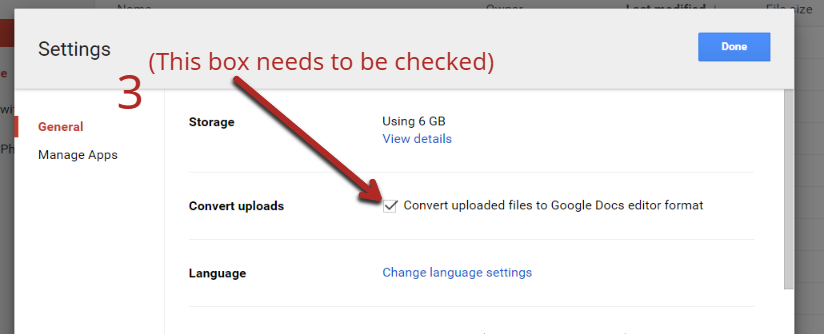
Step 2: First, change the upload settings in Google Drive so that your old files are automatically converted to the Google Docs format.
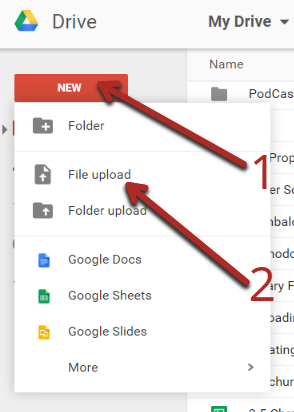
Step 3: To upload an old file, click the “New” button, then click on “File Upload”. (To upload an entire folder, click “Folder Upload”)
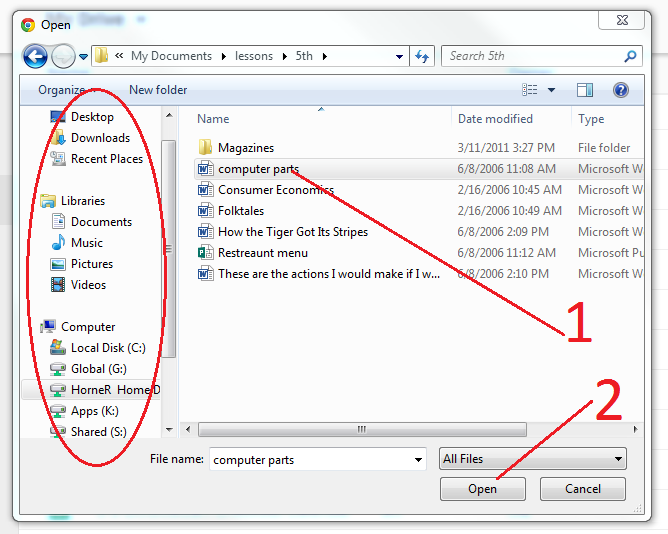
Step 4: Navigate to the file or folder that you would like to upload, click the file to select it, then click the “Open” button.
Congratulations! A copy of your file is now in your Google Drive (the file is still on your hard drive as well). You can now access your file anytime from any device via Google Drive.
Video Tutorial:
This site constantly keeps me update about the style industry considering that longer. i'm very fond of your running a blog and reshuffle. you did such a pleasant modern attempt as well as we will that. you must check mine stuffs too. thanks.friv jogos online
ReplyDeletejogos online 2019
friv jogos 4 school online
A8B01195A6
ReplyDeletesteroid satın al
steroid sipariş
steroid al
sigarillo satın al
ücretli whatsapp show
Instagramdan Alışveriş Yaptım Dolandırıldım Ne Yapmalıyım